
BSC25-T1010A высокое Напряжение генератор катушка Тесла высокого звс трансформатор
1301.5

Сохраните в закладки:
*История изменения цены! Указанная стоимость возможно, уже изменилось. Проверить текущую цену - >
| Месяц | Минимальная цена | Макс. стоимость | Цена |
|---|---|---|---|
| Feb-19-2026 | 44240.39 руб. | 45125.71 руб. | 44682.5 руб. |
| Jan-19-2026 | 35880.95 руб. | 36598.88 руб. | 36239 руб. |
| Dec-19-2025 | 43544.25 руб. | 44415.14 руб. | 43979.5 руб. |
| Nov-19-2025 | 43195.37 руб. | 44059.28 руб. | 43627 руб. |
| Oct-19-2025 | 34487.13 руб. | 35177.89 руб. | 34832 руб. |
| Sep-19-2025 | 42499.79 руб. | 43349.47 руб. | 42924 руб. |
| Aug-19-2025 | 42150.12 руб. | 42993.75 руб. | 42571.5 руб. |
| Jul-19-2025 | 41802.10 руб. | 42638.46 руб. | 42220 руб. |
Новые товары
Характеристики
Описание товара
Products are selling well!!!
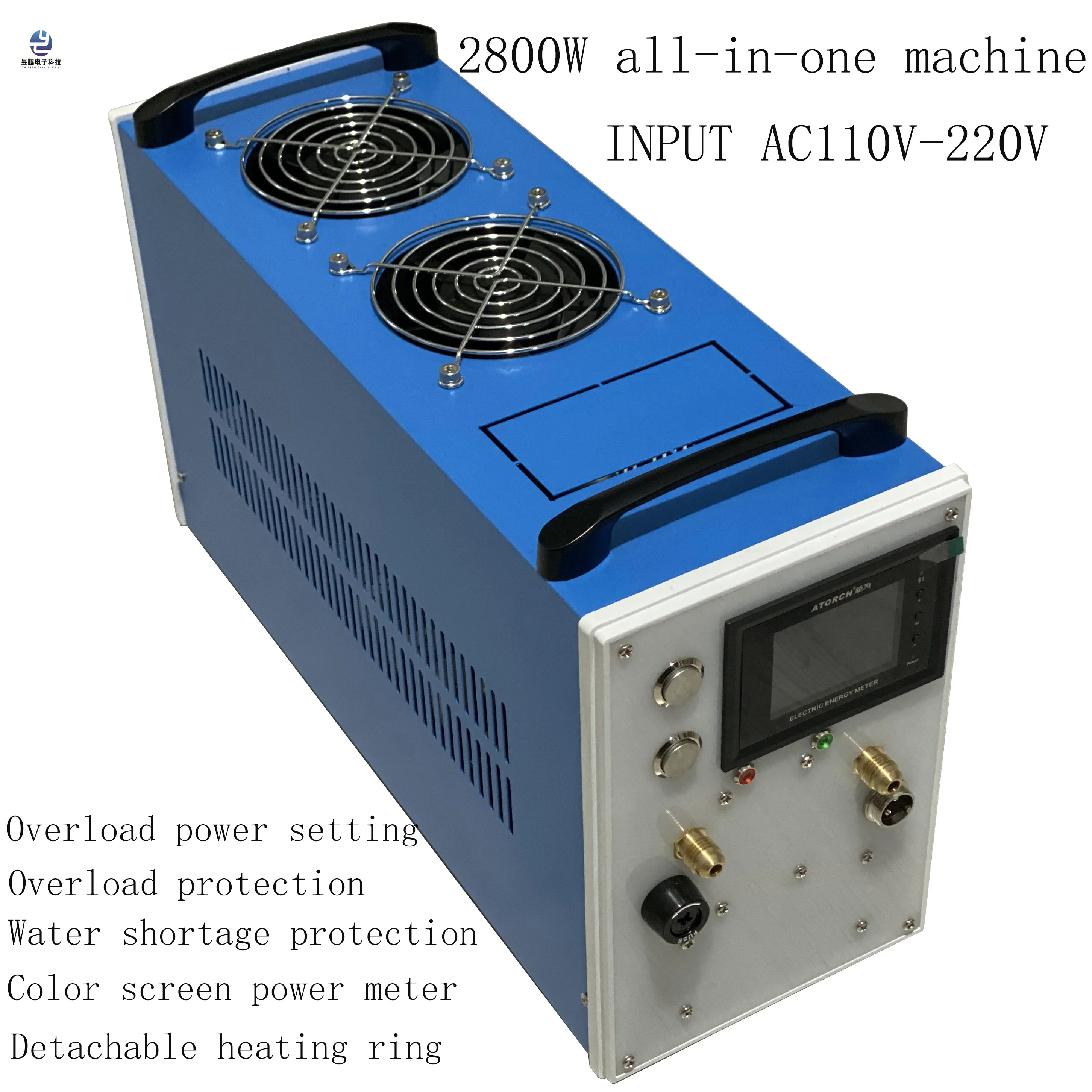
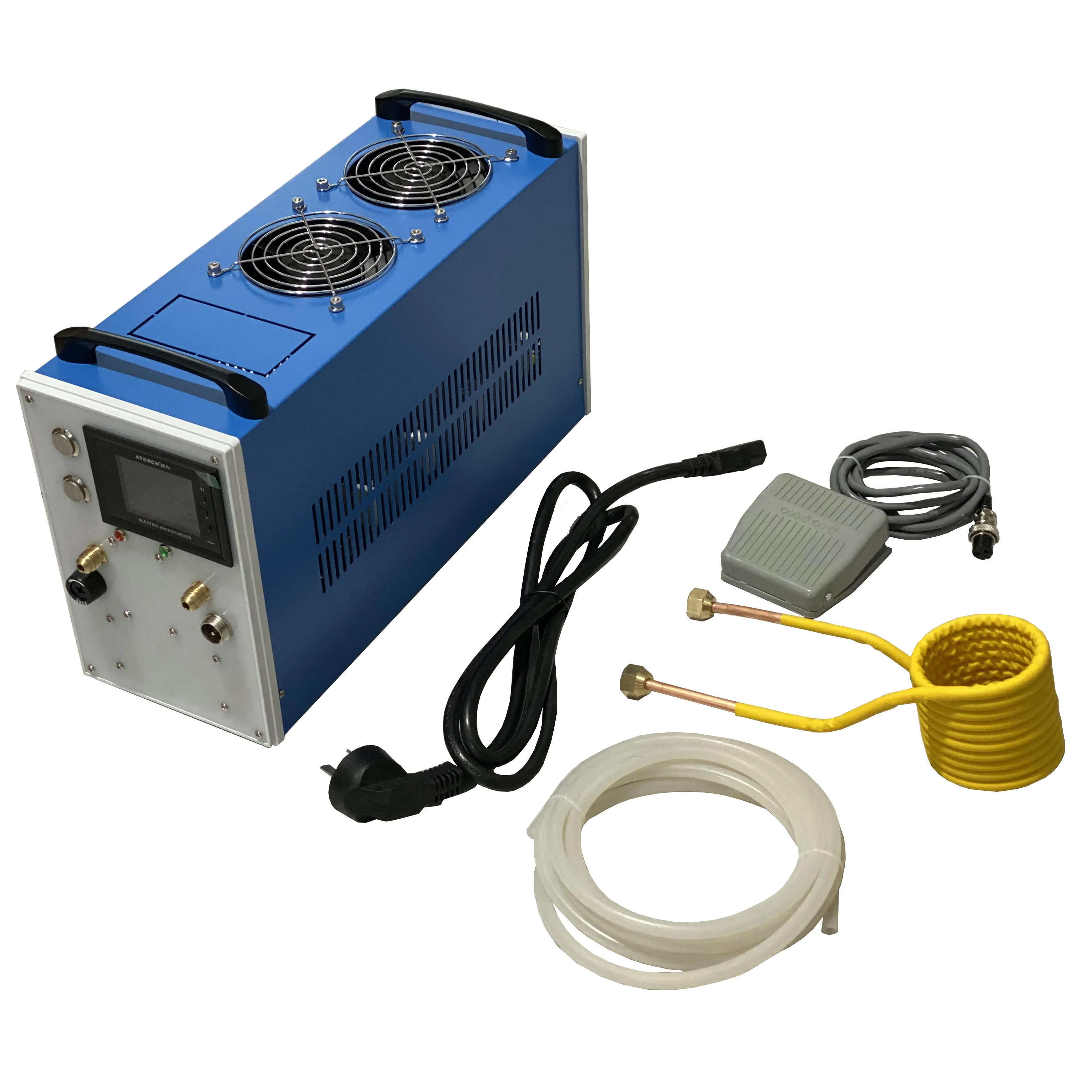
It's changed! More features!! Automatic protection! Overload setting! Foot switch! Smart control!
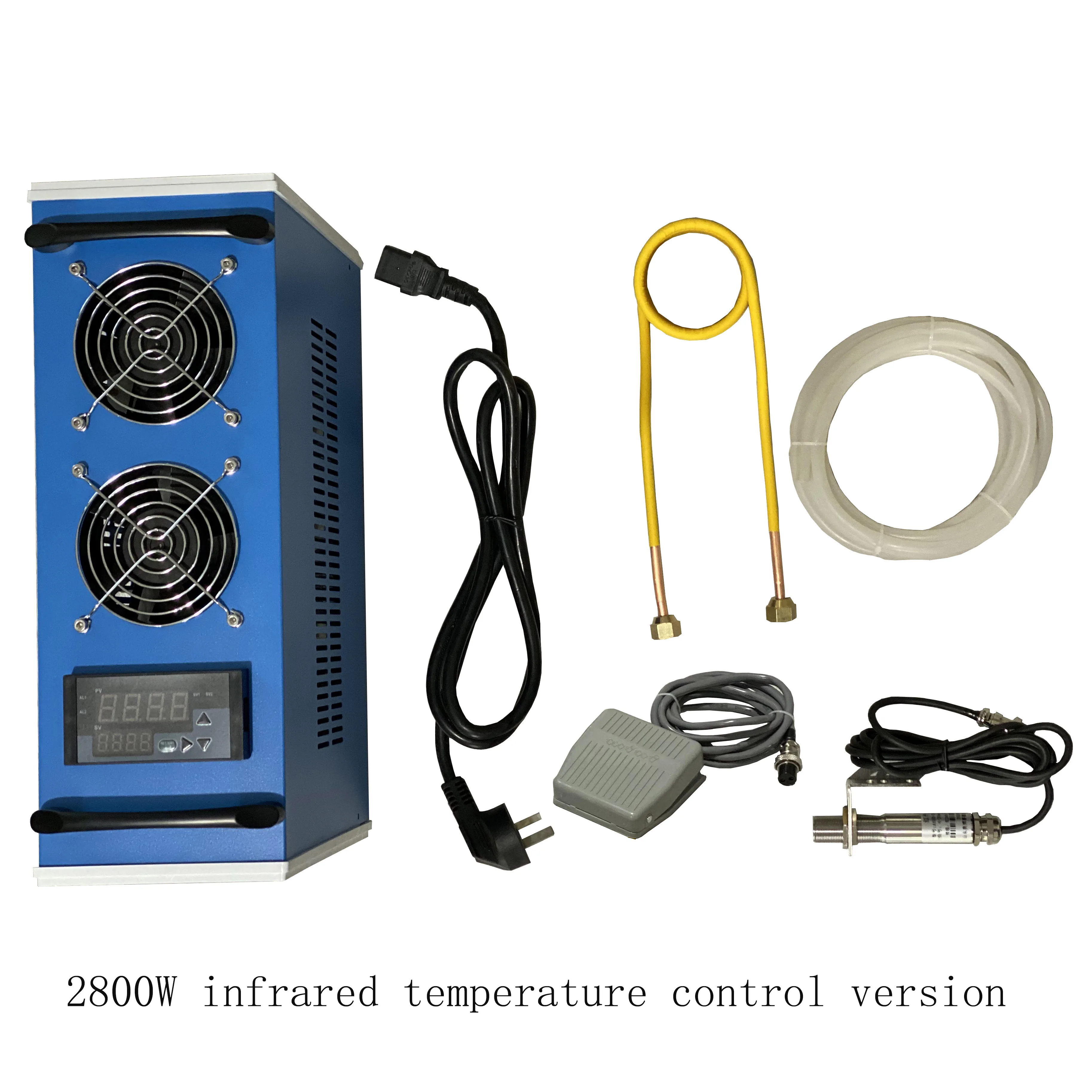
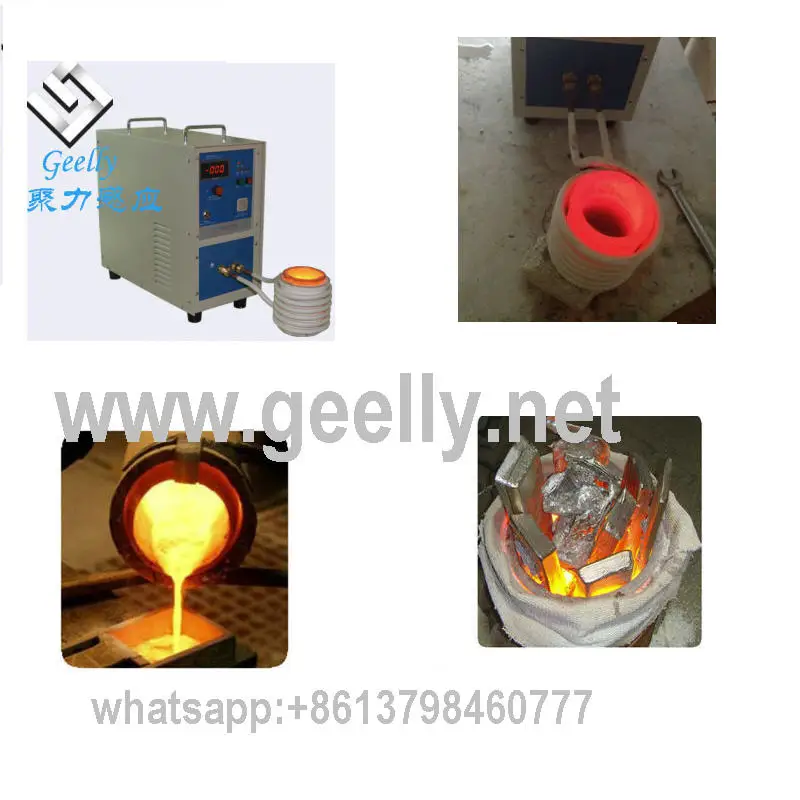
This product can be plugged directly into the AC110V-220V power supply of small power induction heating machine, mainly can be used for small iron metal material heating quenching, with the matching 70mL graphite crucible maximum temperature of up to 1600 degrees Celsius. Easily melt metals such as iron, copper, gold, silver and aluminum. Steel up to 10mm in diameter can be forged and quenched with a custom heating ring. (Default hair diameter of 60mm of radon heating ring, if need to do quenching forging contact customer service to make the heating ring)
Test the video
1. Melting iron: //v.youku.com/v_show/id_XNDU0MTYzNzUyMA==.html
2. Foot switch test: //v.youku.com/v_show/id_XNDU0MTYzODQ0MA==.html
3. Temperature control test: //v.youku.com/v_show/id_XNDU0MDEyNzAxMg==.html;
4. Diameter 12mm rebar quenching forging test: //v.youku.com/v_show/id_XNDYxOTY4MzQyMA==.html
5. Hand-held heating ring to heat the copper pipe: //v.youku.com/v_show/id_XNDY3NDMyNzY0MA==.html
Product features and functions
1. The use of an all-in-one metal housing design, easy to use and carry, good heat dissipation;
2. Integrated power supply to avoid complex wiring;
3. The heating ring is wrapped in heat-resistant insulation material to prevent short circuits in the heating process, and the heating ring can be removed and replaced, and the specific heating ring is customized;
4. Integrate the internal water-cooled circulation system to prevent the heating ring from overheating; (External water cooling through a water pipe)
5. The top two high-power fans dissipate heat;
6. Add a digital current overload protection switch and trip the protection circuit in time once overloaded;
7. The oversized LCD screen displays the operating parameters of the system, including voltage, current, power, motherboard temperature, etc., and can be easily switched between Chinese and English with one click, allowing the maximum current to be allowed through the power meter setting operation, and immediately entering overload protection mode beyond the maximum operating current at work.
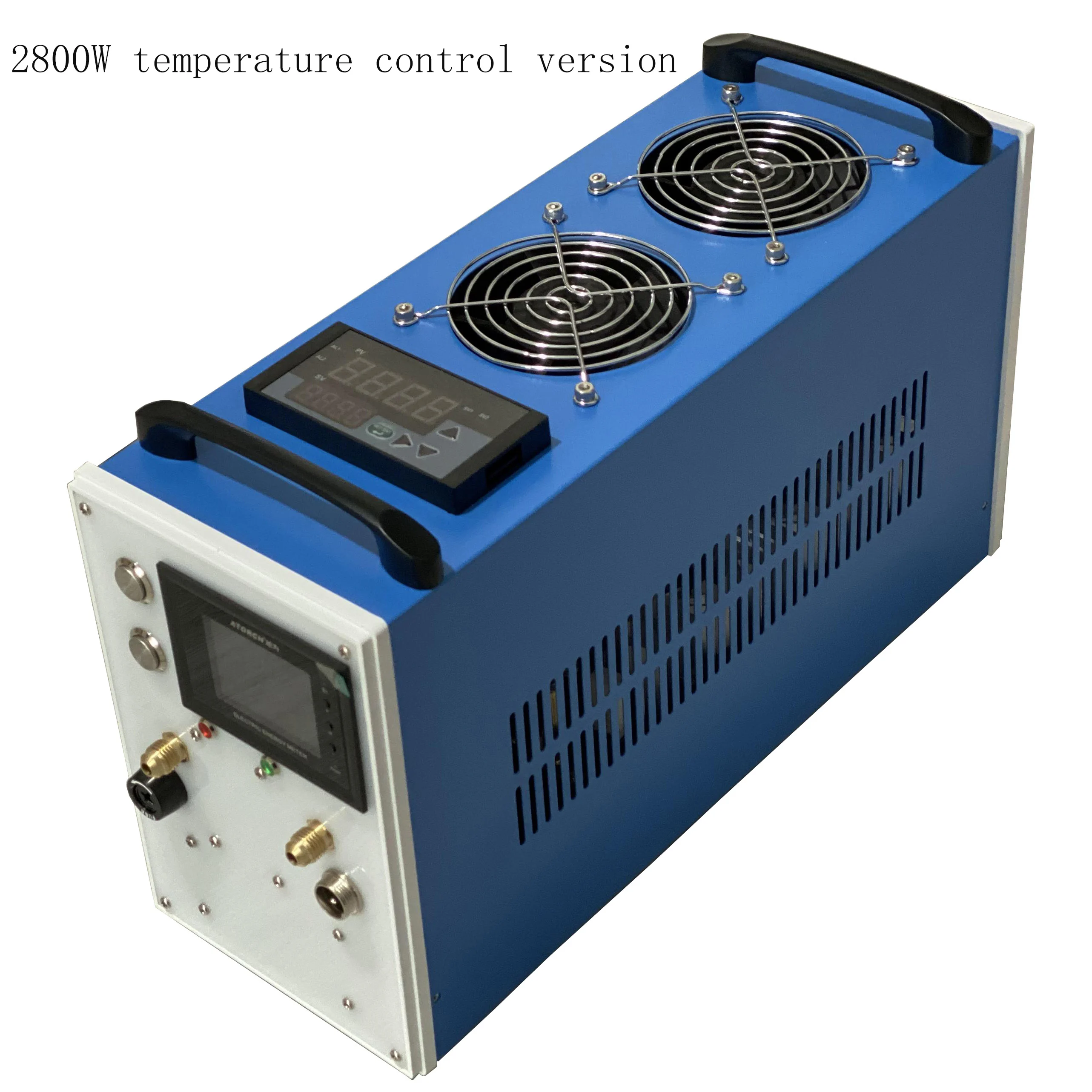
8. Available in a controlled version of 0-600 degrees or 0-1000 degrees infrared temperature.
9. Metal key switch, and add foot control, convenient for different scenes to use.
10. Water cooling system water shortage protection.
Machine parameters:
1. Rated voltage: AC220V
2. Rated maximum input current:15A
3. Motherboard rating:DC48V or DC53.5V
4. The motherboard is rated at the maximumcurrent: 58A
5. Host weight:6KG
6. Capacity:70ml
7. Heating ring diameter:60mm(other types can be customized).
8. External size:380mm x 150mm x 210mm
Panel Description:
①Power meter
②Heat on
③Reset
④Alarm lights
⑤Heating light
⑥Heating ring interface
⑦Fuse
⑧Foot switch interface
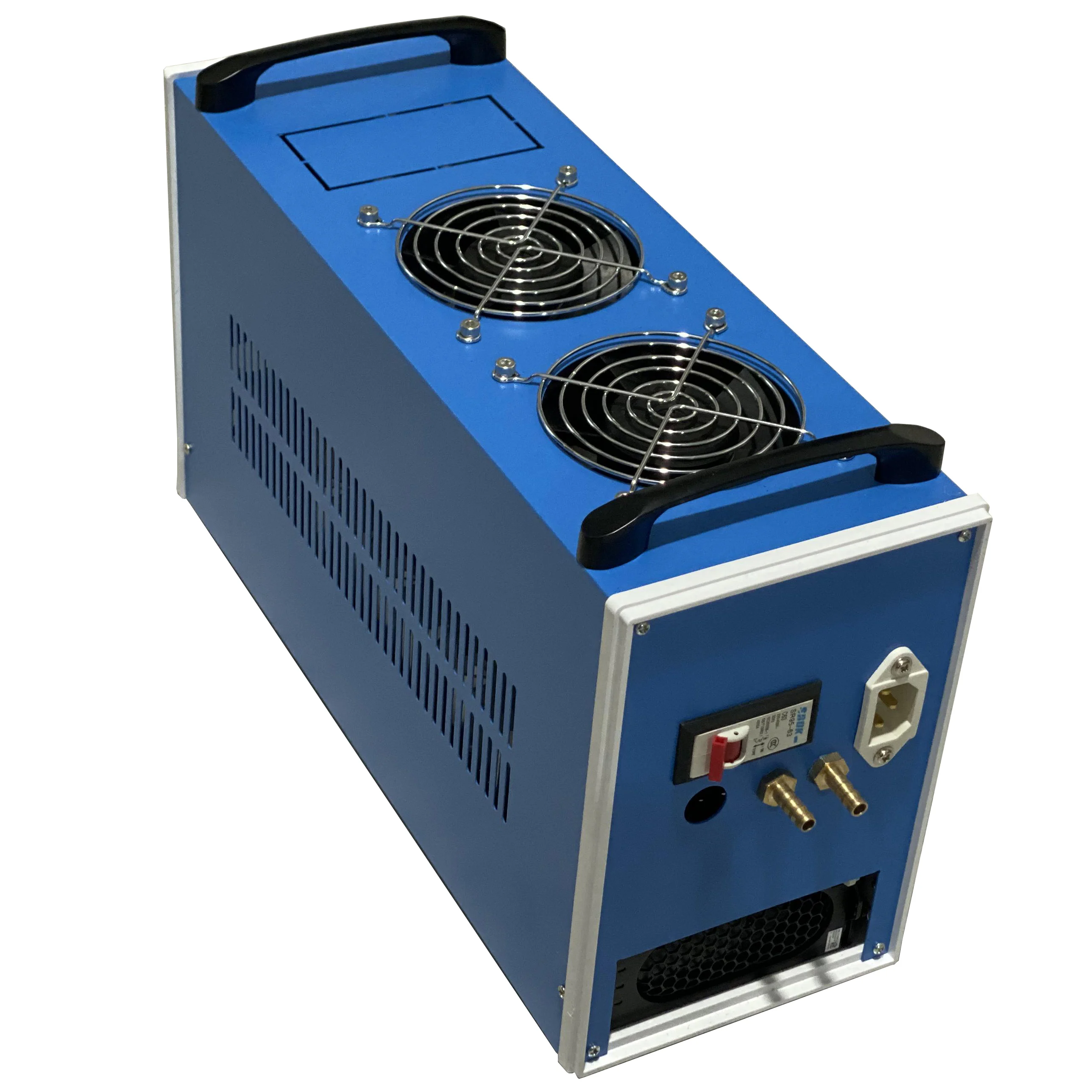
⑨The total power switch
⑩AC1100V-220V input interface
⑪Infrared temperature sensor interface
⑫Water-cooled input
⑬Water-cooled output
⑭DC48V50A power supply
⑮Thermostat
⑯Cooling fan
Prepare before use:
1. The first use of the heating ring is not installed on, requiring the user to exercise the 17mm wrench installation;
2. After installation is complete, prepare a basin of water, insert both heat dissipation into the water, if conditions permit, it is recommended to use cold water into hot water directly drain the waste way to dissipate heat;
3. Make sure that the total power switch is in the off position and plug the input power cord into the 110-250VAC input interface; (Ratedpower halved at110V input).
4. Push the back main power switch to power the internal power supply, wait about 5-10 seconds for the main display to light up and the water pump and fan to start
5. Observe if there is a leak near the removable heating ring linker, and if there is a leak to turn off the power supply, use the tool to tighten the connector screws a little until it does not leak (watertight tests have been performed at the factory).
6. According to the actual use of demand to set the alarm power, the manufacturer's default alarm power is 3200W (detailed set reference power meter instructions).
Use the steps:
1. Make sure that the total power switch on the back is off;
2. Turn on the main power switch, wait about 5 seconds, the power supply is stable at this time to see the fan and water pump running, the main display light voltage is displayed as 48V or 53.5V;
3. First press the"M" buttonof the power meter to reset the power meter, then press the heating on, the green heating light is on, or use a foot switch, the heating light is on after the pedal is pressed, release and go out; If the use of red light on heating stop, then first check the power meter whether there is voltage or power alarm, if no alarm is water cooling abnormal, check whether the water cold part is lack of water or water pump damage, if the water pump water cooling is normal is water-cooled water temperature of more than 50 degrees Celsius (for the water temperature is too high solution is to use cold water into hot water direct waste way, cooling water does not recycle);
4. Use the end-press reset switch and wait approximately 20 seconds before turning off the total power switch . .
Precautions for use:
1. In all cases, the power-on use must follow the switch on and wait for the fan and water pump to work before turning on the heating, otherwise there is a risk of burning the motherboard (this must be absolutely observed).
2. When shutting down, follow the reset switch and wait 20 seconds before turning off the main power switch, which is intended to cool the system;
3. If there are conditions can be changed to cold water into hot water directly drained non-circulating water cold cooling heat, is conducive to reducing the system temperature (water cooling factory set a maximum temperature of 50 degrees Celsius, more than 50 system alarm stop heating).
4. Multi-function display can display the power of the system and motherboard temperature in real time, when the power is continuously greater than 2800W or the motherboard is greater than 75degrees C should shut down the system, may be the heated object overloading the system, this can be set by setting the alarm current to the machine set alarm protection automatically cut off heating;
5. When the cooling fan and water circulation system any one does not work must turn off the main power supply must not continue to work, contact the manufacturer to solve the problem;
6. The top cooling fan port and the power cooling air inringing port must not be obscured, otherwise it will affect the cooling of the system;
7. The rated operating voltage is AC220V, and the power using AC110V is halved;
8. If the heating ring needs to be changed on its own due to actual use requirements, it is necessary to ensure that the empty current of the heating ring is not greater than 12A.
9. Press the"M"button of the power meter before each time you turn on heating or when the alarm is lifted, and then press the reset button of the machineto lift the alarm of the red alarm light
Common problem solving:
1. System power-on fan pumps do not work power meter no display, can not be heated, may be fuse blown, is caused by overload, just replace the fuse, fuse parameters of 6 x 30/15A;
2. The power red alarm light on the power-on lights up. The supply voltage slowly rises when powered on for the first time, and the factory sets a minimum voltage of 45V alarm. The alarm can be eliminated by pressing the reset after the voltage has stabilized. The minimum voltage for the power meter alarm can also be set to be smaller.
3. The red alarm light comes on during use. First look at whether the power meter shows a power alarm, the default alarm power is 3200W,if the current doesnot alarm, check whether the water cooling system failure, or cooling water temperature of more than 50 degrees Celsius.
4. Press the reset button red warning light can not be eliminated, first press the power meter"M"button to try to solve;
5. Other problems please contact the manufacturer to solve specifically.
Annex 1
Instructions for the use of the thermostat
Thermostat enables temperature control, . . . Generally set to the upper limit alarm ). Press and hold the SET button to enter the password 3000 press SET, AL2 is the upper limit temperature, HAL2 is the downline start temperature difference, d2 is the action delay, set to 0 Once the setup is complete, press and hold the SET to the main interface (the entire setup process ignores the parameters with the tail number 1);
Scene diagram
The crucible is heated with an iron bar

It works well. please send the instruction manual.... Читать отзыв полностью...

Давно искала такие стульчики. Долго присматривалась. Взяла четыре и не пожалела. Очень удобно: когда надо ставишь за стол, если не... Читать отзыв полностью...

Самый не порядочный продавец товаров. Не рекомендую! Преобрела хард диск. Оказался бракованный подделкой. Чтобы вернуть деньги за не качественный товар... Читать отзыв полностью...

Уважаемые покупатели, никогда не покупайте у этого продавца. Продавцом предлогается возврат по любой причине в течении 15 дней. Это обман!... Читать отзыв полностью...

Где вставляется батарейка CR 2032 - под лицевой панелью ?... Читать отзыв полностью...

Магазин дурит покупателей, не советую связываться. ... Читать отзыв полностью...




Why is the GK DRAW A3 Pro graph builder unavailable for purchase in Russia?... Читать отзыв полностью...